The Whisper node transcribes the audio track of a media file into text using a Whisper speech-to-text model. The transcript is stored as a first-class component so it can be searched and summarized.
Kind |
|
Applies to |
Video, Audio |
Input ports |
|
Output ports |
|
Requirements |
A Whisper runtime (whisper.cpp or compatible) and a model file. CPU works; a GPU accelerates transcription and is enabled via options. Storage for the model file. |
Persists to |
|
Configuration
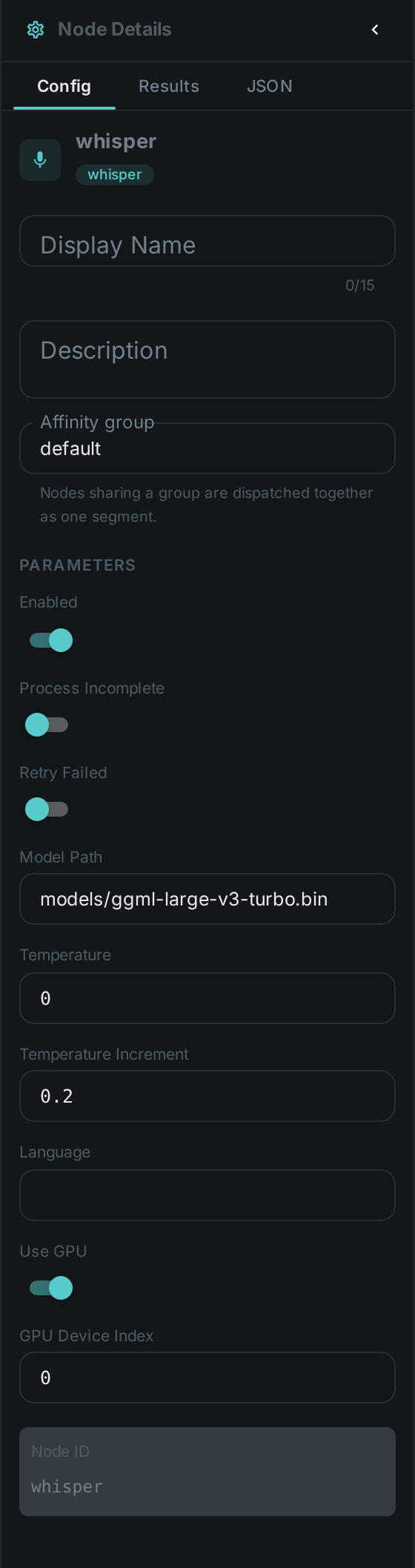
Set these in the panel above, or in the node’s options block in a pipeline definition:
| Option | Meaning |
|---|---|
|
Path to the Whisper model file |
|
Source language (or auto-detect) |
|
Enable GPU acceleration and select the device |
|
Decoding temperature and fallback increment |
Seeing it run
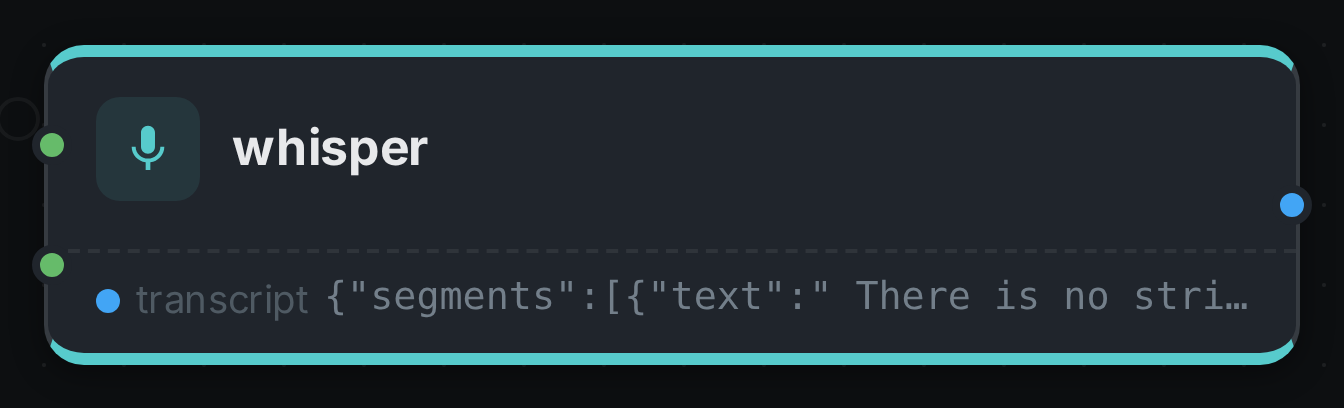
Turn on Debug Mode and every node keeps what it produced, on the
card itself — for this node, the transcript and the segments it was cut into. Below is a real run of
ggml-large-v3-turbo over a recording of a speech.
Use Cases
-
Subtitles & captions — generate transcripts for video and audio assets.
-
Transcript search — power the chat’s
search_transcripttool and the transcript-summarizer skill. -
Downstream enrichment — connect
transcriptto LLM classification or summarization.