The TTS node generates narration audio from text. Unlike the analysis nodes, which describe a
property of the media itself, TTS has a single text input port that accepts any text type — connect
an LLM summary, a caption, or a translated
transcript to it — and synthesizes speech, attaching the audio to the asset.
German is synthesized with Orpheus-3B / Kartoffel and English with Kokoro. Both run behind a small HTTP sidecar, so the node stays a pure client and needs no model runtime of its own.
Kind |
|
Applies to |
Any asset (the audio is generated from upstream text, not from the media) |
Input ports |
|
Output ports |
|
Requirements |
A running TTS sidecar ( |
Persists to |
|
Configuration
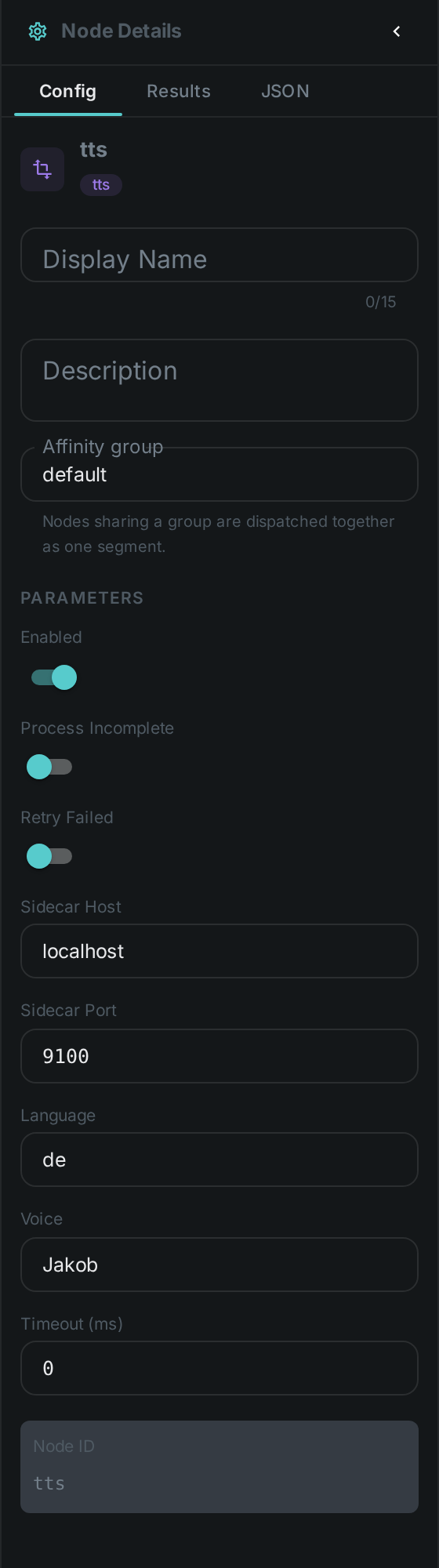
Set these in the panel above, or in the node’s options block in a pipeline definition:
| Option | Meaning |
|---|---|
|
Address of the TTS sidecar (default |
|
|
|
Voice id for the selected engine (default |
Nothing configures where the words come from — connect a port to text and the node speaks whatever
arrives on it.
Seeing it run
Turn on Debug Mode and every node keeps what it produced, on the
card itself. Below is a real run at the shipped language: de / voice: Jakob, speaking the German
transcript that Translate and Sentiment also work on.
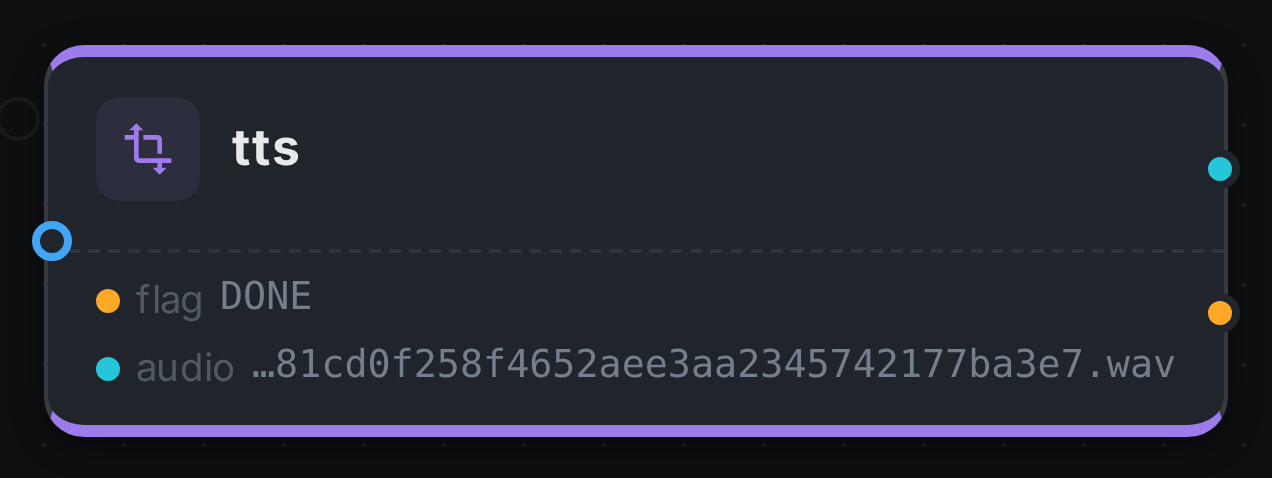
audio carries the path of the WAV in the worker’s local cache and flag records how the node
finished. The audio itself is not uploaded anywhere yet — the bytes live beside the worker, exactly
as Thumbnail leaves its contact sheet.
Use Cases
-
Audio descriptions — speak an LLM-generated description or caption for accessibility.
-
Dubbing / narration — voice a translated transcript back onto the asset.
-
Bilingual output — German via Orpheus/Kartoffel, English via Kokoro, chosen per pipeline.
The sidecar is a small FastAPI service; see the server/ directory next to the node for how to run
it (including the production path where Orpheus runs on vLLM / llama.cpp).