The object detection node finds objects — people, vehicles, animals, furniture — in images and video frames, and reports each one as a labelled box with a confidence score. Video is processed by sampling frames at a configurable rate and running detection on each sample.
Kind |
|
Applies to |
Image, Video |
Input ports |
|
Output ports |
|
Requirements |
YOLO native runtime plus an ONNX detection model and its class-name file. A CUDA-capable GPU is strongly recommended for video; on CPU the runtime still works, at a fraction of the speed. |
Persists to |
|
Configuration
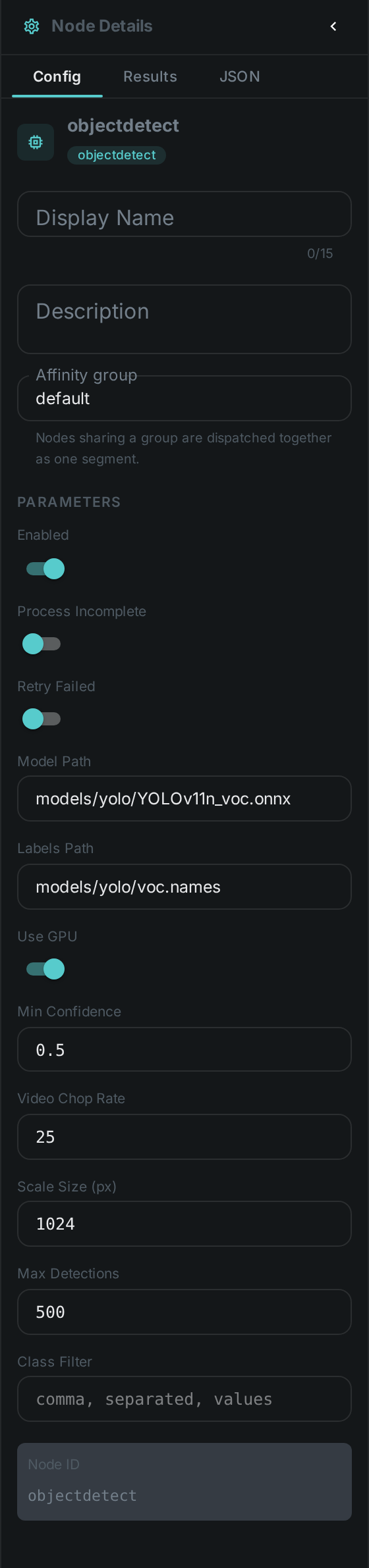
| Option | Meaning |
|---|---|
|
Path to the ONNX detection model |
|
Path to the class-name file that belongs to that model, one name per line |
|
Run inference on the GPU when one is available |
|
Discard detections the model is less sure about than this. The engine never reports anything below 0.4, so that is the lowest usable setting |
|
Run detection on every Nth video frame. The single biggest cost lever the node has |
|
Longest edge a frame is scaled to before inference. Boxes are reported against the original resolution regardless |
|
Upper bound on the detections kept for one file |
|
Keep only these class names. Left empty, every class the model knows is kept |
Seeing it run
Turn on Debug Mode and every node keeps what it produced, on the
card itself. Below is a real run of YOLOv11n_voc.onnx over pexels-jack-sparrow-5977265.mp4 at the
shipped videoChopRate: 25 — every 25th frame of a 326-frame clip.
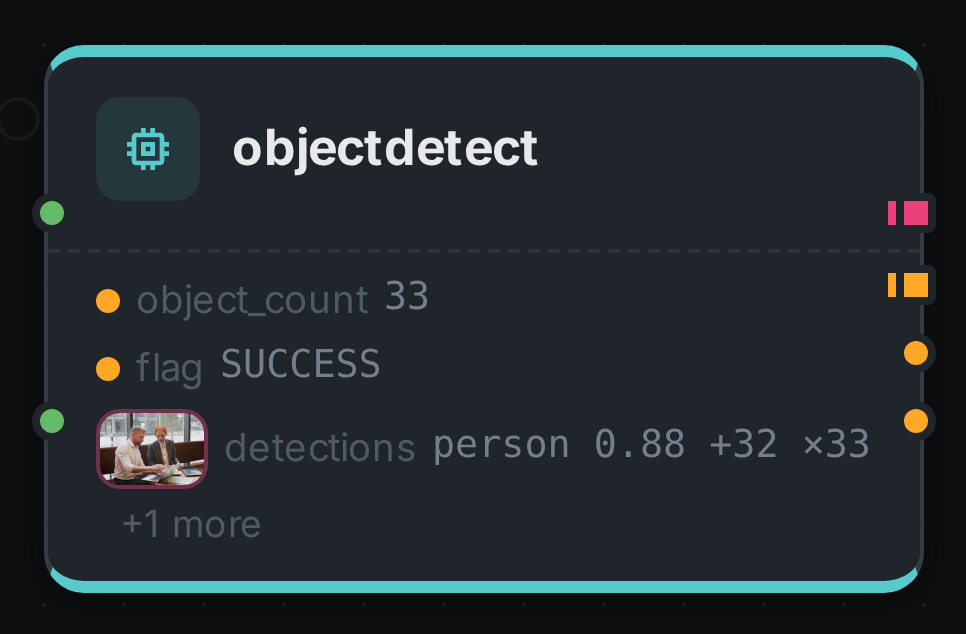
Four ports. detections carries one element per box, labels the distinct class names it saw
(person, bottle), object_count the total, and flag how the node finished. Opening
detections shows every box with the frame it was measured on:
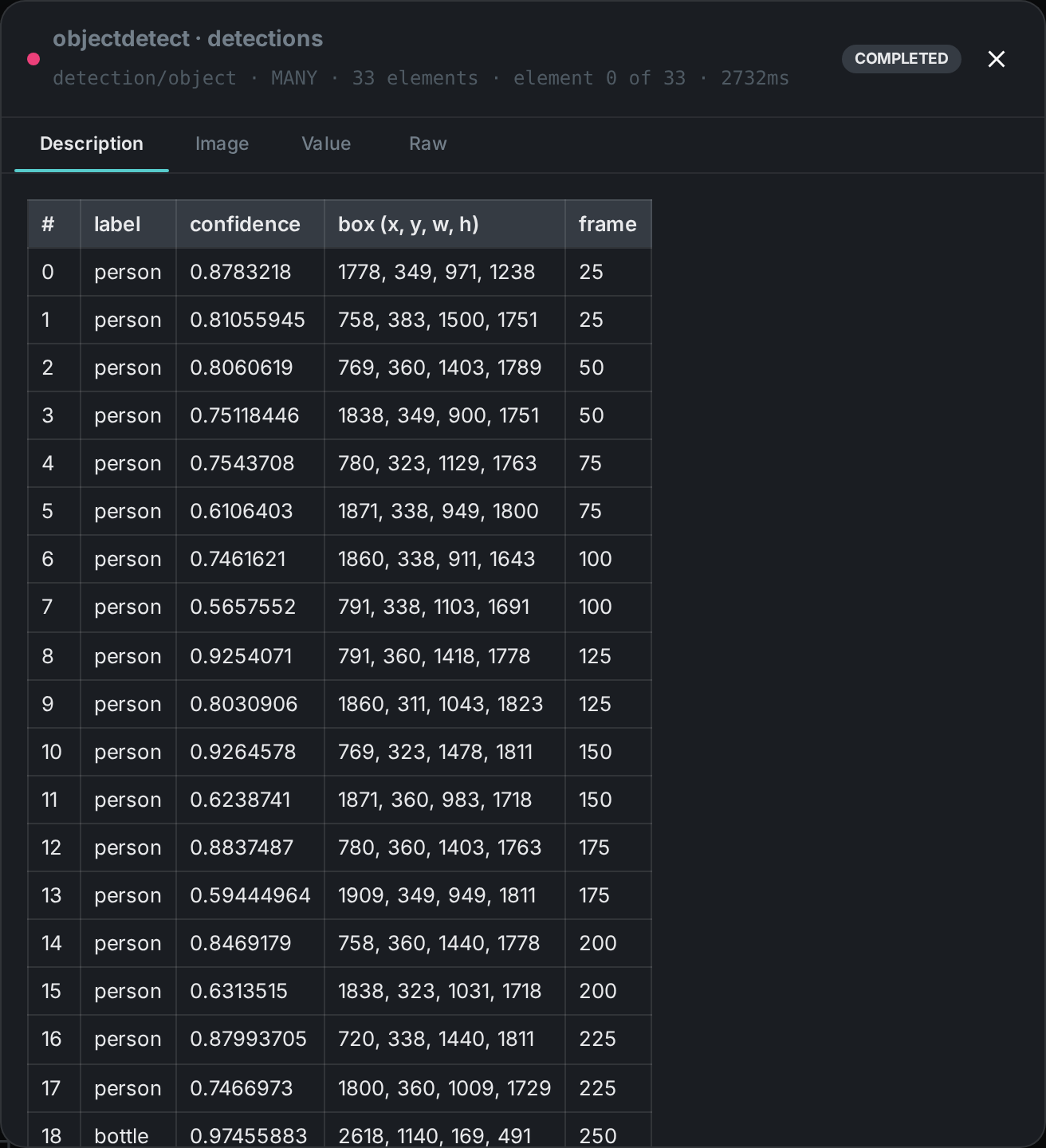
The frame column is what makes those boxes usable. Detection ran on 13 of the clip’s 326 frames, so
the boxes belong to thirteen different moments and only the ones sharing a frame number describe the
same picture — the same sampling the
detection player on the pipeline page animates.
What the model can find
The node reports whatever classes its model was trained on, and nothing else — the class list comes
from the labels file, not from the node. A model trained on 20 everyday classes will never report a
traffic light no matter how clearly one is in frame. Choosing the model is choosing the vocabulary.
Detections are reported per frame, so a thirty-second clip of a busy street produces far more rows
than a photograph of the same street. maxDetections is what keeps that bounded: when it stops a
scan early the flag port reports CAPPED rather than SUCCESS, so a downstream consumer can tell
"this is everything in the file" from "this is the first few hundred".
Cost
Object detection on video is the most expensive thing in a typical pipeline, because it is inference per sampled frame rather than once per file. Three settings decide the bill:
-
videoChopRate— halving it doubles the work for the whole file. The default samples roughly one frame per second of footage, which is enough to know what is in a clip and not enough to follow anything across it. -
videoScaleSize— frames are scaled down before inference. Smaller is faster and misses small or distant objects. -
useGpu— the difference between a clip processing in seconds and in minutes.
Use Cases
-
Search by content — connect the
labelsport to Tag and every asset is tagged with what is in it, with no rules to write. -
Spatial understanding — feed
detectionsinto Scene Layout together with a depth map to derive relations like "person in front of car". -
Smart cropping — feed
detectionsinto Image Manipulation so a thumbnail frames the subject instead of the centre of the picture. -
Review and moderation — flag assets containing particular classes using
classFilter.