Detection tells you where something is: a rectangle around a person, a car, a dog. This node tells you which pixels are that thing. It runs Segment Anything 2 and returns a mask per object — the exact outline, not a box around it.
It does that three ways. It can segment everything in a picture with no help at all, it can take the boxes Object Detection or Face Detection already found and turn each one into a precise cut-out, and it can follow a mask through a video clip, frame after frame, as the thing moves.
The model runs behind a small HTTP sidecar, so the node stays a pure client and your worker needs no machine-learning runtime of its own.
Kind |
|
Applies to |
Images and video |
Input ports |
|
Output ports |
|
Requirements |
A running SAM 2 sidecar. A GPU is strongly recommended — segment-everything is over a thousand model passes for one picture |
Persists to |
The masks stay on the worker under |
The three modes
Pick one with the mode setting. They are genuinely different jobs, not quality levels.
- Automatic
-
Segment everything. The model samples a grid of points across the picture and returns every distinct region it can find, largest first. Nothing needs to be wired in. Good for cut-outs, background removal and "what is even in this picture" — but the masks have no names, because nothing told the model what it was looking at.
- Prompted
-
One mask per box. Wire a detector into
detectionsand every box it found comes back as a precise outline, carrying that detector’s label. This is usually what you want: object detection is cheap and knows what things are, and this node is what makes the boundary exact. - Track
-
Follow objects through a clip. Prompts are placed on one sampled frame and the model carries them forward across the rest, so a person walking across the shot stays one mask with one identity — not a fresh unrelated detection every frame.
What it produces
A binary PNG per mask — white inside the object, black outside — plus one JSON description of the whole set:
{
  "model": "facebook/sam2.1-hiera-small",
  "mode": "PROMPTED",
  "width": 1024, "height": 683,
  "imageWidth": 4000, "imageHeight": 2667,
  "dir": "/var/lib/cortex/sam2_bin/ab12/<hash>-7f3c1a9e0b52/",
  "masks": [
    { "index": 0, "label": "person", "area": 184203, "score": 0.96,
      "bbox": { "x": 210, "y": 88, "w": 340, "h": 520 },
      "path": ".../mask-0000.png" }
  ],
  "truncated": { "masks": 0, "frames": 0 }
}
Reading a mask
Two details matter if you process the masks yourself:
-
widthandheightdescribe the masks, which are a scaled-down version of your image.imageWidthandimageHeightgive the original, so you can map coordinates between the two. -
A mask pixel is either 0 or 255. Anything above the midpoint is inside the object — a mask that has been re-encoded somewhere along the way can pick up soft values along the edge.
The overlay port is the same result as a picture: your frame with every mask tinted a different
colour. It is the quickest way to check a run did what you expected.
Configuration

| Option | Meaning |
|---|---|
|
Where the SAM 2 sidecar is listening. Defaults to |
|
|
|
Use a specific checkpoint instead of the sidecar’s default |
|
Longest side sent for analysis, default 1024. This also sets the size of every produced mask |
|
Automatic only: how densely the picture is sampled, default 32. Halving it is roughly four times faster and finds fewer small things |
|
Automatic only: discard masks the model rates below this, default 0.8 |
|
Discard masks smaller than this many pixels, default 256. Raise it to drop speckle |
|
Stop after this many masks, default 64. Hitting it reports |
|
Prompted only: return the model’s three candidate outlines per box instead of the best one. Counts against |
|
Sample every Nth video frame, default 25 — roughly one per second of typical footage |
|
Never send more than this many frames, default 64. Hitting it reports |
|
Which sampled frame the prompts are placed on, default the first |
|
Also write the tinted picture, default on |
|
How long to wait for the sidecar, default 300000 |
Seeing it run
Turn on Debug Mode and every node keeps what it produced, on the card itself.
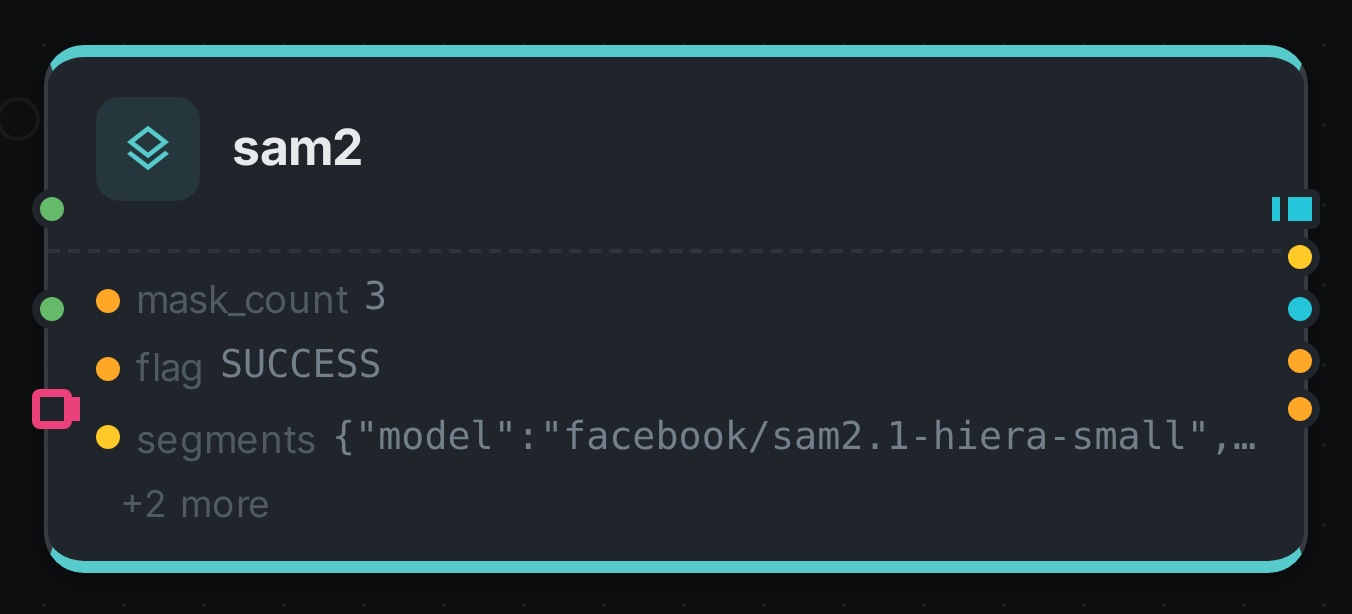
This node fills five ports, and a card shows the first three, so masks and overlay sit behind the
+2 more line. Click any port to open it full size.
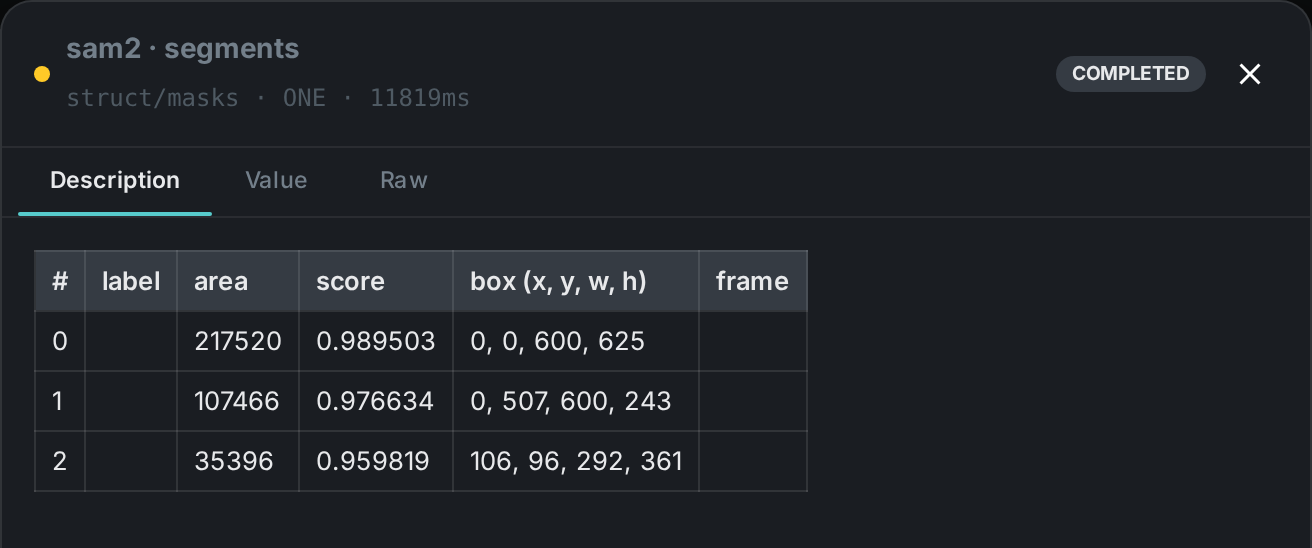
segments port opened: one row per masksegments is the one to open on an automatic run: it lists every mask with an area, a score and a
box, largest first. The label and frame columns stay empty here because nothing told the model
what it was looking at and a still has no frame number — both fill in for a prompted run and a
tracked clip respectively. mask_count and flag record how the node finished, and the overlay
port opens as the tinted picture of the whole result.
Requirements and models
The default checkpoint is SAM 2.1 Hiera Small, published under Apache 2.0 and usable commercially — as is every member of that family. Larger variants trade speed for a little more accuracy on fine boundaries; see Model licences.
|
Note
|
Segment-everything at the default density is over a thousand model passes for a single picture, and tracking holds a growing memory of the clip while it runs. Give this node a GPU, and give it one it does not have to share with another model server. |
Use Cases
-
Cut-outs and background removal — an exact outline is what separates a product photo from its backdrop, without anyone tracing it by hand.
-
Precise crops — a box crops to a rectangle around a person; a mask crops to the person.
-
Measuring what is in frame — mask area is real coverage, so "how much of this shot is sky" is a number rather than an impression.
-
Video object tracking — one identity followed across a clip, for shot selection, redaction or effects work.
-
Better training data — a detector’s boxes plus this node’s outlines is a segmentation dataset produced from an existing library.
Deployment note
The masks are stored on the worker that produced them, and there is a directory of them per asset
rather than a single file. If you connect masks to S3 Sink — which is how you get
them off the worker — put both nodes in the same affinity group in your pipeline so they run on
the same machine.