The captioning node generates a natural-language caption — a short description of what the media shows — for both images and videos using a vision-language model. Images are described from a single still frame; videos are described from their temporal content (what happens across the clip).
Kind |
|
Applies to |
Image, Video |
Input ports |
|
Output ports |
|
Requirements |
A vision-language model service reachable from the worker. Images use a SmolVLM service (host/port); videos use an OpenAI-compatible VLM endpoint (e.g. Qwen2.5-VL on vLLM or llama.cpp). CPU on the worker; the models run in the service. |
Persists to |
|
How video captioning works
A video is turned into a caption by one of three interchangeable strategies, selected with the
videoStrategy option:
| Strategy | Behaviour |
|---|---|
|
Samples a fixed number of frames evenly across the whole clip and sends them as one prompt, producing a single description. Works on any length of clip and on any backend. The recommended default. |
|
Splits the clip into scenes first (optical-flow scene detection), then captions each scene independently, producing a per-scene caption timeline. |
|
Hands the whole file to the model and lets it do its own temporal sampling. Highest quality for short clips, but requires a backend that decodes video natively (vLLM) and can fail on longer clips. |
Video captions are stored with the producing strategy, the model, the frame count and — for the scene strategy — the per-scene breakdown, so the timeline is available for search and review.
Configuration
Set these in the panel above, or in the node’s options block in a pipeline definition:
| Option | Meaning |
|---|---|
|
Host and port of the image (SmolVLM) captioning service |
|
|
|
Base URL of the OpenAI-compatible VLM endpoint used for video |
|
Model id served at that endpoint (e.g. a Qwen2.5-VL variant) |
|
Optional bearer token for the video endpoint |
|
Number of frames sampled per clip (whole) or per scene (scene) |
|
Longest-edge pixel size each sampled frame is scaled to before sending |
|
Upper bound on scenes captioned by the scene strategy |
|
Generation limits for the video model |
|
The instruction sent to the video model |
Seeing it run
Turn on Debug Mode and every node keeps what it produced, on the
card itself. Below is a real run over pexels-jack-sparrow-5977265.mp4 through the video branch:
the node sampled eight frames from the clip and asked one question about all of them at once.
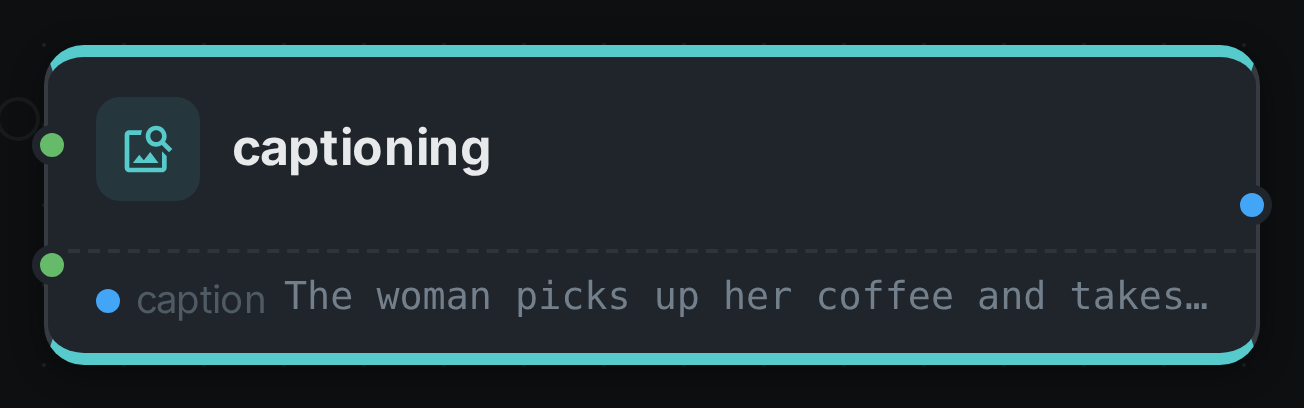
One port, one sentence — which is the point of this node. The two input branches are different
backends, not two ways into the same one: image goes to a SmolVLM server with a caption endpoint of
its own, and video goes to an OpenAI-compatible endpoint as a batch of frames.
Use Cases
-
Alt text / accessibility — auto-generate descriptions for images and clips.
-
Searchable descriptions — index a caption per asset for natural-language retrieval.
-
Scene timelines — with the scene strategy, get a per-scene description of a video for navigation.
-
Cold-start metadata — give newly ingested media a description before human review.