The sentiment node scores the tone of text your pipeline has already produced. It does not look
at the media itself — it has a single text input port that accepts any text type, so you can
connect Tika document content, OCR text, a caption,
or a VLM / LLM answer to it. The node labels whatever arrives
positive, neutral or negative, with a confidence score and a signed polarity value you
can sort and filter on.
German and English are handled by dedicated models — German with german-sentiment-bert, English
with a RoBERTa model trained on social text — rather than one generic multilingual model, because a
language specialist is measurably better on its own language. Both run behind a small HTTP sidecar,
so the node stays a pure client and needs no model runtime of its own.
Kind |
|
Applies to |
Any asset (the text comes from an upstream node, not from the media) |
Input ports |
|
Output ports |
|
Languages |
German and English, detected automatically; other languages fall back to a multilingual model |
Requirements |
A running sentiment sidecar ( |
Persists to |
|
What it produces
{
  "label": "NEGATIVE",
  "score": 0.87,
  "polarity": -0.81,
  "scores": { "positive": 0.06, "neutral": 0.07, "negative": 0.87 },
  "lang": "de",
  "model": "oliverguhr/german-sentiment-bert",
  "source": { "node": "tika", "port": "content" },
  "textChars": 4211,
  "chunks": 12
}
polarity is the positive share minus the negative share, so it runs from -1 (wholly negative) to
+1 (wholly positive) with neutral text near zero. It is the value to sort or threshold on when you
want "the most negative documents first".
Long text is handled automatically: the sidecar splits it into sentence-aligned chunks, scores each, and combines them weighted by length — so a long complaint is not diluted by a short pleasantry.
Configuration
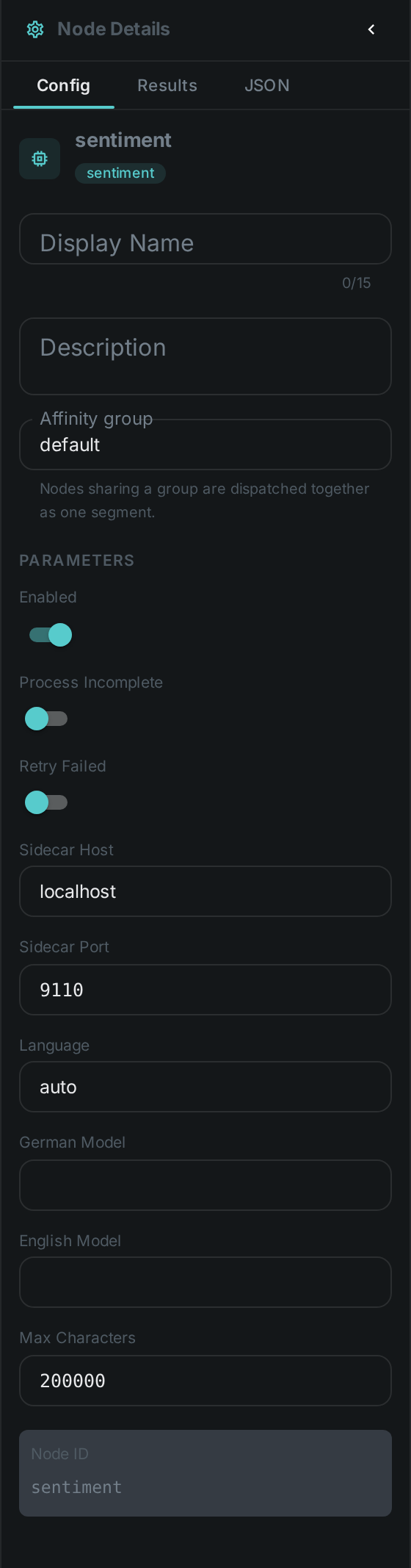
Set these in the panel above, or in the node’s options block in a pipeline definition:
| Option | Meaning |
|---|---|
|
Address of the sentiment sidecar (default |
|
|
|
Override the sidecar’s German / English model — e.g. a finance-specific German model |
|
Upper bound on the text sent for analysis (default |
There is no option naming where the text comes from: the text port accepts any text type, so you
draw a connection instead. A PDF pipeline wires Tika's content into it, a scan
pipeline wires OCR's text, and a photo pipeline wires
captioning's caption. Wanting all three in one pipeline means one sentiment
node per source, each with its own row.
Seeing it run
Turn on Debug Mode and every node keeps what it produced, on the
card itself. Below is a real run over a German complaint — "Wir haben die Lieferung heute erhalten,
aber zwei Kartons waren beschädigt" — at the shipped language: auto.
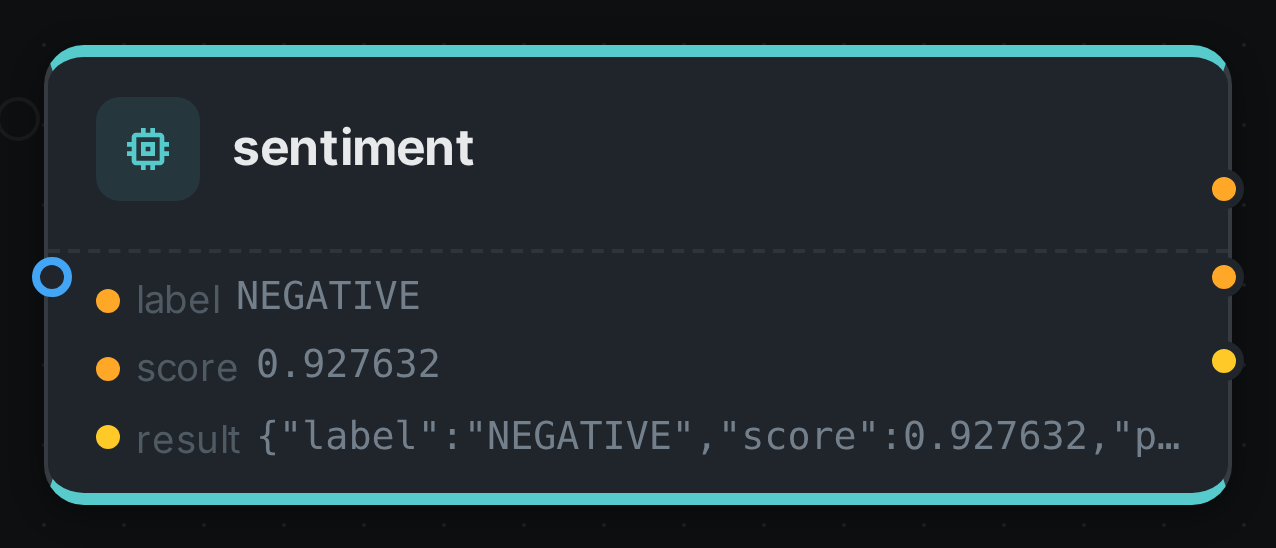
The strip lists what each output port carried — label, score, result. The interesting part is
in result: the sidecar detected de and routed to the German checkpoint on its own, which is what
auto buys you. The same text scored by an English model would be a different number about a
sentence it did not understand.
Use Cases
-
Review and feedback triage — surface the most negative documents in an ingest first.
-
Brand and press monitoring — track the tone of coverage across a German and English corpus.
-
Content moderation support — flag strongly negative material for human review.
-
Media library insight — combine with captioning to score the tone of what images and videos depict.
The sidecar is a small FastAPI service; see the sidecars/sentiment directory for how to run it.
Model attribution
The default English model is published under CC-BY-4.0, which permits commercial use but requires
attribution. The model actually used is recorded with every result, so it can be surfaced wherever
you display sentiment. If your deployment cannot carry that attribution, point modelEn at an
Apache-2.0 alternative — the sidecar’s fallback multilingual model is one.