The Google Drive source is a source node — the entry point of a pipeline. Instead of processing a media item, it enumerates files from Google Drive and feeds each one into the graph. It reads both My Drive and shared drives.
It is differential: a small local index remembers what the drive looked like on the previous run, so a re-run picks up only what is new, changed, moved or removed. Pointing a pipeline at a drive of a million files and running it every hour therefore costs almost nothing after the first pass.
Kind |
|
Applies to |
— (source node; produces the media stream) |
Input ports |
None — it is the root of the DAG |
Output ports |
|
Requirements |
CPU only, plus Google credentials on the worker. No shared media mount is needed. |
Persists to |
n/a (source) |
No shared storage required
Like the S3 source and unlike the filesystem source, this node does not need every worker to see the same mount. It emits file references rather than paths, and each worker downloads the files it is asked to process into its own local cache. A pipeline can therefore be spread across machines that share nothing but access to the drive.
Because the download is what a worker does when it actually needs the bytes, enumerating a drive transfers no media at all — only file listings.
|
Tip
|
Every worker that processes Google Drive media needs the Google settings, not just the one running the source node. A worker that only computes hashes still has to fetch the files it hashes. |
Picking up only new files
Two strategies, and the fast one is on by default:
| Strategy | How it works | When to use it |
|---|---|---|
Change feed ( |
Drive tells the worker which files changed since the last run, so a run processes just those and skips listing the folders entirely. One request, whatever the size of the drive. |
Almost always. Unlike a notification, this is something Drive guarantees rather than something that can be lost in transit. |
Folder scan |
Walks the selected folder tree and compares it against the local index. Listing returns metadata only, so this is fast and transfers no media. |
Turn the change feed off to force it, for example while debugging what a pipeline can see. |
A full folder scan still runs periodically — every 24 hours by default — so that a file moved into the watched folder from somewhere far away in the drive cannot stay invisible.
Renames and moves are detected
This is where a cloud drive beats a bucket. A Drive file keeps its identity when it is renamed or
dragged into another folder, so the source can tell those apart from a delete plus a fresh upload,
and reports them as MOVED. Object storage has no equivalent, which is why the S3 source does
not offer that state at all.
Two rules follow from watching a specific folder rather than the whole drive:
-
A file moved out of the watched folder is reported as
DELETED— as far as the pipeline is concerned it is gone. -
A file moved into it is reported as
NEW, even though it existed elsewhere in the drive before.
Google Docs, Sheets and Slides
A native Google document is not a file with contents — there is nothing to download, and Drive does not even report a size for it. Reading one means asking Google to convert it, which is lossy and is limited to 10 MB per document.
Because of that, native documents are skipped by default. Turn on exportNativeDocs to include
them; they then arrive converted (documents and slide decks as PDF, spreadsheets as CSV, drawings as
PNG) and can be processed like any other file.
Ordinary files uploaded to Drive — videos, images, PDFs, audio — are unaffected and always available.
Configuration
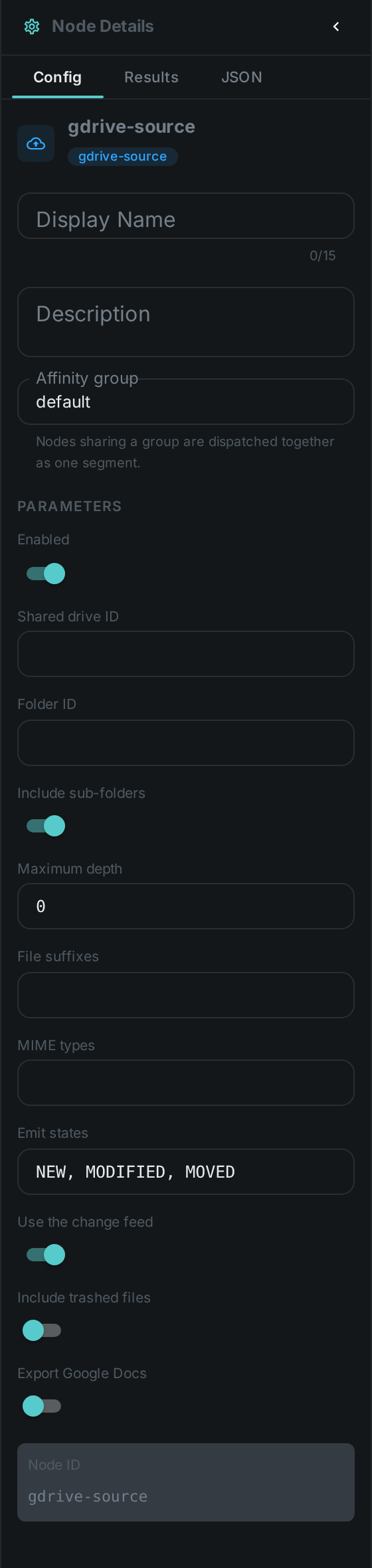
Set on the node in the pipeline editor:
| Option | Meaning |
|---|---|
|
Shared drive to read from. Leave empty for the connected account’s own My Drive |
|
Folder to scan, taken from its Drive URL. Empty scans the whole drive |
|
Descend into folders below the selected one. On by default |
|
How many folder levels to descend. |
|
Comma-separated file suffixes to accept, e.g. |
|
Comma-separated file types to accept, e.g. |
|
Which changes flow downstream: |
|
Ask Drive what changed instead of listing the folders. On by default |
|
Keep files that are in the Drive trash |
|
Convert Google Docs, Sheets and Slides so they can be processed |
Setting up credentials
Credentials are configured on the worker, never on the node, so that they are never stored in a pipeline definition.
The supported way to connect is a service account, which does not expire and needs nobody to sign in:
-
In the Google Cloud console, create a service account and download its JSON key.
-
Enable the Google Drive API for the same project.
-
Share the drive or folder with the service account’s email address, exactly as you would share it with a colleague.
-
Give the worker the key.
| Setting | Meaning |
|---|---|
|
The downloaded key, as JSON |
|
A path to the same key, if you would rather mount it as a file |
|
The person whose My Drive should be read. Needs domain-wide delegation, and is the only way to reach an individual’s own drive rather than what has been shared with the service account |
|
Shared drive to use when a node does not name one |
|
Where downloaded files are cached |
|
Size budget for that cache; the oldest entries are removed past it |
|
Largest file to download. |
|
How long the change feed may be trusted before a full folder scan is forced |
|
Default for the node option of the same name |
A worker with no Google settings simply does not offer the Google Drive source, and is never asked to run one.
|
Warning
|
A personal OAuth refresh token (CORTEX_GDRIVE_CLIENT_ID, CORTEX_GDRIVE_CLIENT_SECRET,
CORTEX_GDRIVE_REFRESH_TOKEN) also works and is handy while trying things out, but it is not suitable
for a running system: a token issued by an app that is still in testing expires after seven days, and
a worker cannot renew one on its own.
|
Seeing it run
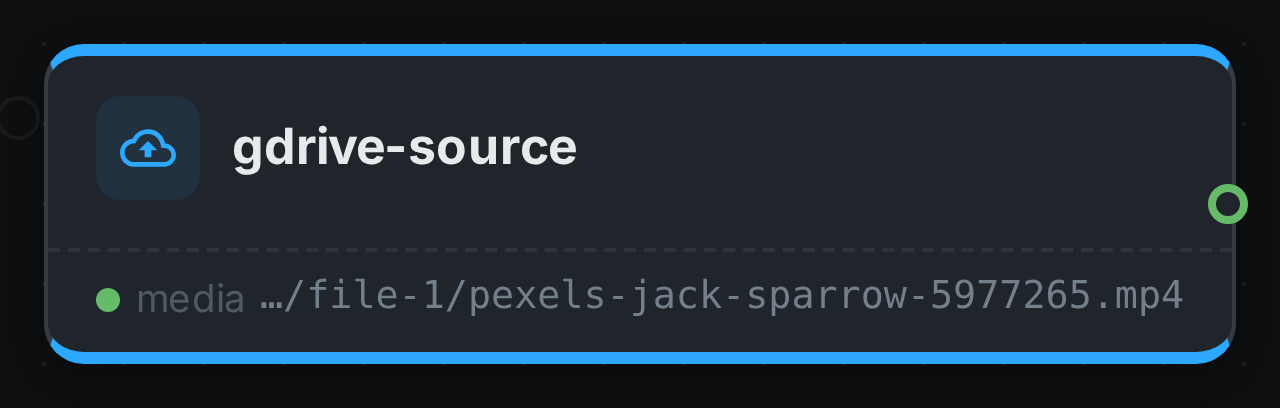
Turn on Debug Mode and every node keeps what it produced, on the
card itself. Below is a real run of this node over pexels-jack-sparrow-5977265.mp4.
|
Note
|
This run was captured against an in-repo stand-in for the Google Drive API — there is no way to point a build machine at a real account. Everything below it is the shipping code: the token is really signed and exchanged, the change feed is really diffed against the index, and the file is really downloaded. |
The strip on the card lists what each output port carried — media.
Use Cases
-
Team drive ingest — process everything a department drops into a shared drive, without asking anyone to change how they work.
-
Continuous ingest — pick up newly uploaded files every few minutes; an unchanged drive costs a single request.
-
Reorganisation-aware libraries — keep metadata attached to a file even when someone renames it or files it away in another folder.
-
Distributed processing — spread heavy work across machines that share no storage.
Related
-
OneDrive Source — the same node against OneDrive and SharePoint
-
S3 Source — the same idea for object storage
-
Filesystem Source — for media on a mounted disk