Not everyone who needs to see your material should need an account. A share link is a single URL you can send to a client, a colleague at another company, or anyone else outside your Loom installation. They open it in a browser and see exactly what you shared — one file, or a whole collection — with nothing else around it.
You choose how long the link lives, whether it needs a password, whether the original file can be downloaded, and whether the person at the other end can write back.
Creating a link
Every asset and every collection can be shared. On a collection, hover the card and press the share icon; on an asset, open the actions menu and choose Share.
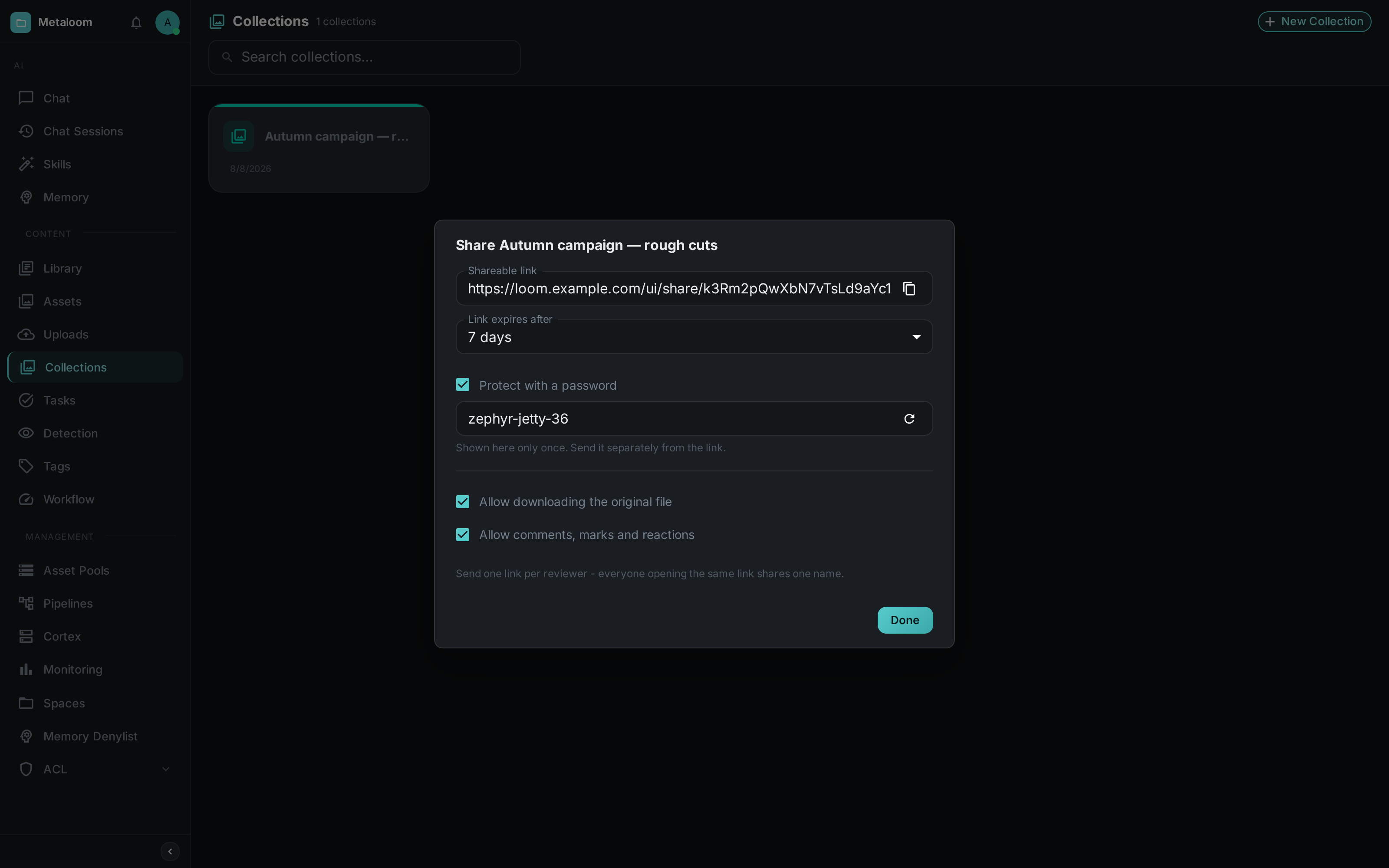
The link exists the moment the dialog opens — there is nothing to save. Everything you change after that applies to the same link straight away.
- Shareable link
-
Press the copy button and paste it into an email or a chat. The address contains a long random string; nobody will find it by guessing.
- Link expires after
-
One day, seven days, one month, one year, or never. Seven days is the default, because a review link that outlives the review is the mistake people make most often. An expired link simply stops working.
- Protect with a password
-
On by default, with a password already generated for you. It is made of two words and a number so it can be read out over the phone and typed on a small screen. You can replace it with your own, press the refresh icon for a different one, or uncheck the box for a link anyone can open.
ImportantThe password is shown once, here, and is never displayed again — Loom only stores a one-way hash of it. Copy it before you close the dialog, and send it separately from the link itself. - Allow downloading the original file
-
When off, the recipient can watch or view the material in their browser but cannot save the original file.
- Allow comments, marks and reactions
-
When off, the link is read-only.
|
Tip
|
Send one link per reviewer. A link carries one name — the first person to open it. If two people use the same link, their notes appear under the same name and either can delete the other’s. Making a second link takes a few seconds and keeps their feedback apart. |
To withdraw a link, delete it. The URL stops working immediately, and anything written through it is removed with it.
What the recipient sees
The first time somebody opens the link, they are asked who they are — and for the password, if the link has one.
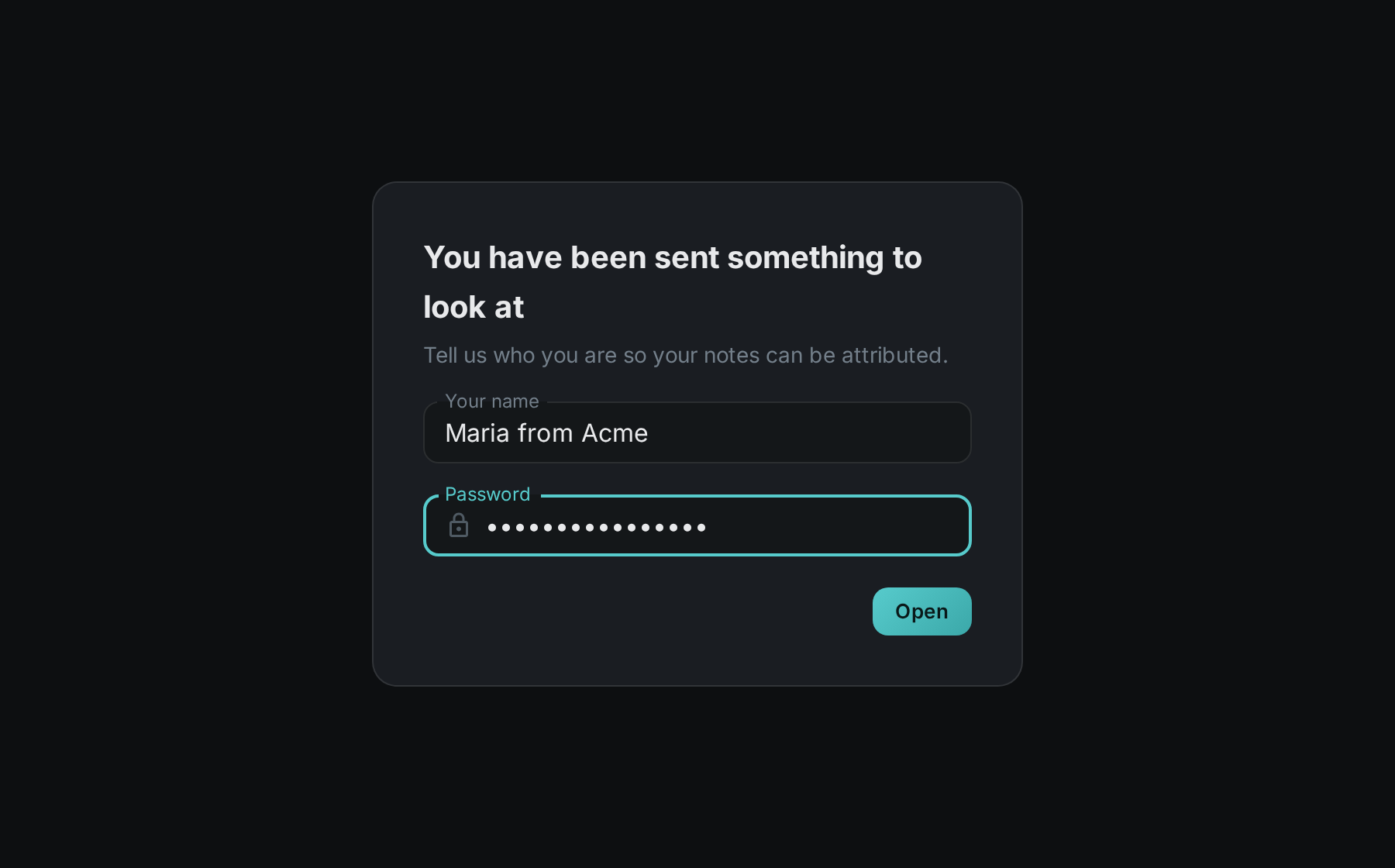
The name is only used to label their comments; there is no account, no sign-up and no email address. If they would rather not say, they can skip the question and their notes appear as Anonymous. Once answered, the question is not asked again, and the answer is what you will see beside their feedback.
After that they are looking at the material.
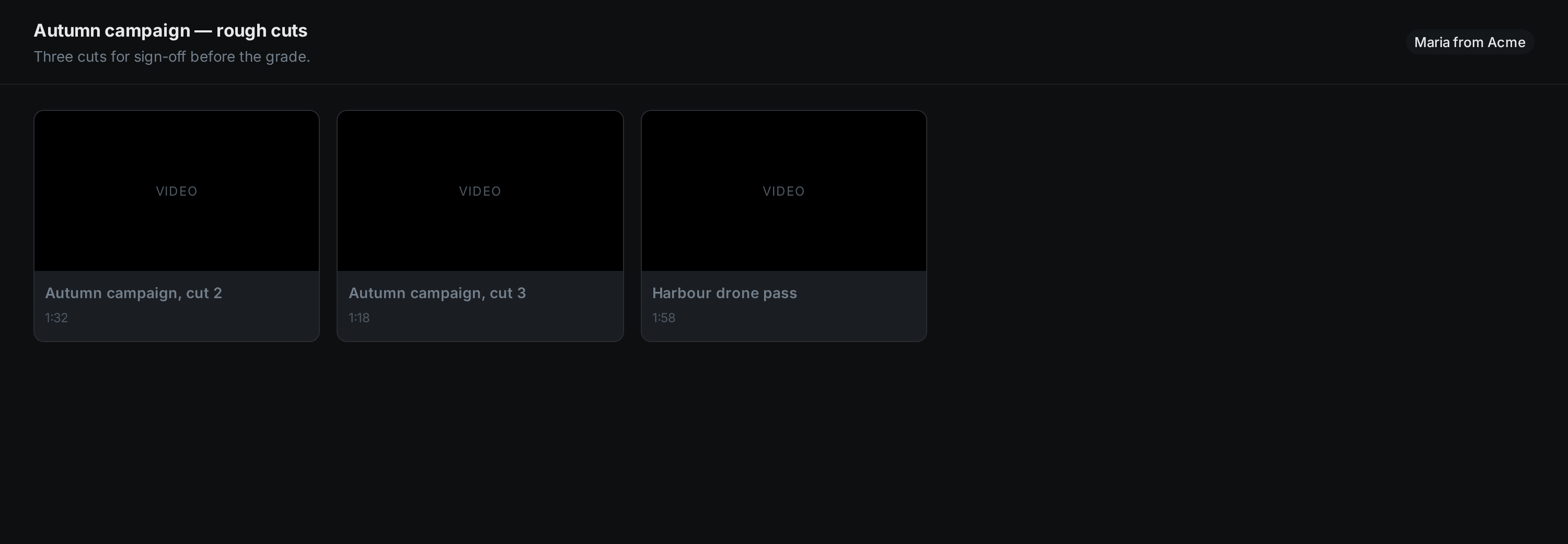
A shared collection opens as a grid; a shared single file opens straight into the viewer. Video and audio play in place, with a normal player they can scrub through. Images can be viewed full size.
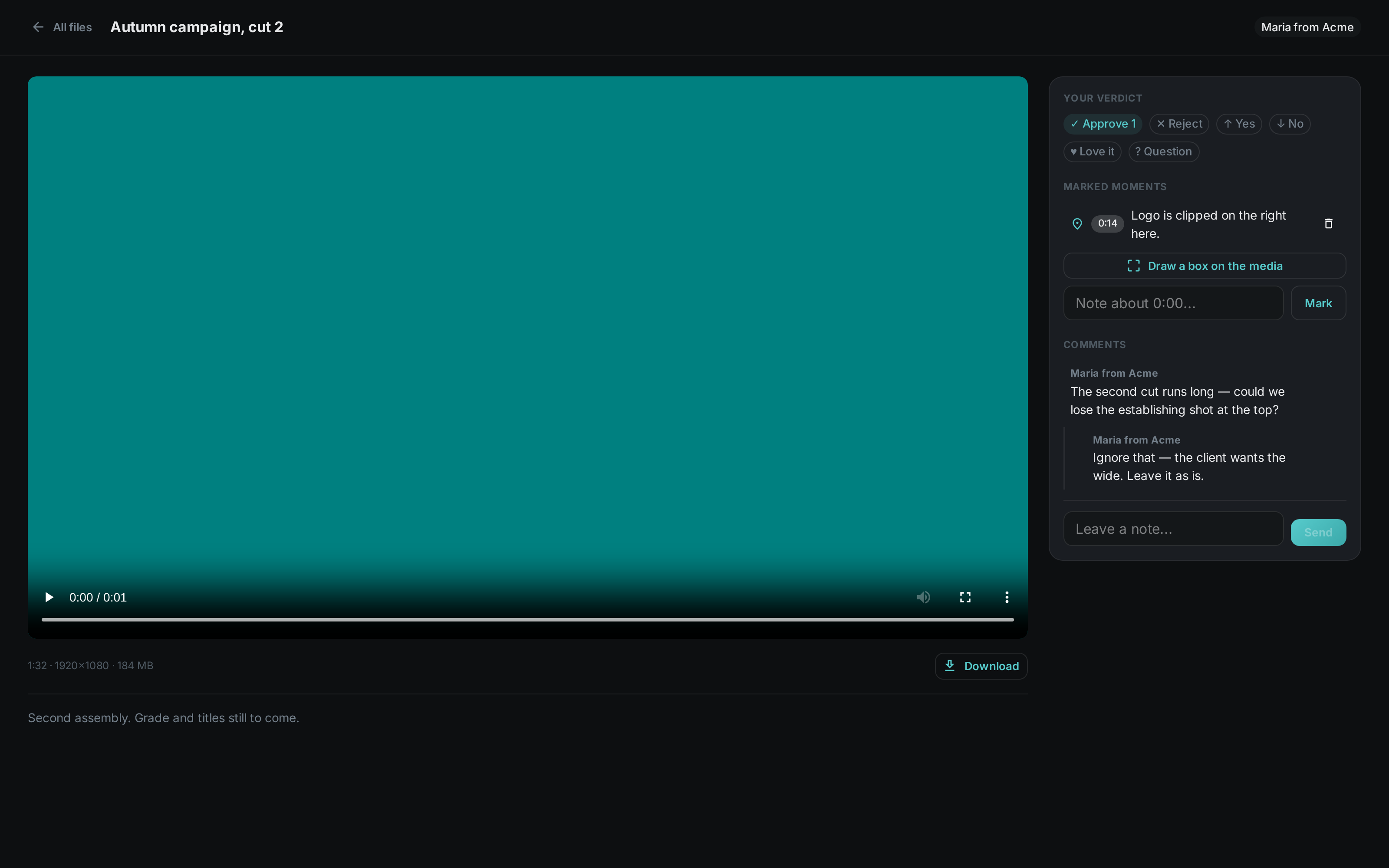
If you allowed it, the panel beside the media is where they answer.
- Your verdict
-
One press to approve or reject, plus a few softer options for when the answer is not yes or no.
- Marked moments
-
A note pinned to the exact point in the clip they are watching — they never type a timecode. Pressing the timestamp later jumps the player back to it.
They can also press Draw a box on the media and drag a rectangle over the picture, to point at one thing rather than one moment. On a video the box remembers the moment as well as the place, so clicking it later returns to both. The box is stored as a proportion of the frame, so it stays over the same detail whether the review happens on a large monitor or a phone.
- Comments
-
A short thread, with one level of replies.
You are notified whenever somebody leaves feedback, and everything they said is attached to the link you created, so it stays with the material rather than in your inbox.
What is not shared
A share link shows the material and nothing else about your installation.
-
Only the file or collection you named is reachable. If you share one clip, the link cannot be bent into showing another.
-
Removing an asset from a shared collection removes it from the link at the same moment.
-
The recipient sees the file name, and — unless you turn it off — its size, duration, dimensions and description. They do not see who uploaded it, where it is stored, what tags it carries, what your pipelines concluded about it, or anything else in your library.
-
A link that has expired, been deleted, or never existed all answer the same way, so the address cannot be used to find out what else you might have.
Repeated wrong password attempts on the same link are slowed down automatically.
Frequently asked
- Can I change what a link shows after I have sent it?
-
You can change the expiry, the password and the two switches at any time, and the change takes effect on the next page the recipient loads. You cannot repoint a link at different material — that would hand somebody something you never gave them. Make a new link instead.
- What happens to my links if my account is deleted?
-
They keep working. A link handed to a client outlives the person who created it; it simply stops having an owner listed.
- Does the recipient need to install or sign up for anything?
-
No. A browser is all that is required.